Bank Transfers
Move your eligible Chamet earnings to a supported bank account through MetWallet.
Explore the supported withdrawal methods, commission examples, and step-by-step MetWallet setup for Chamet hosts and agents.
Choose the route that matches your account and complete the required MetWallet setup before withdrawing.
Move your eligible Chamet earnings to a supported bank account through MetWallet.
Connect a digital wallet and keep your withdrawal flow in one secure place.
Use supported crypto options through MetWallet when completing your withdrawal.
See how different team structures contribute to an agency's total revenue and commission tier.
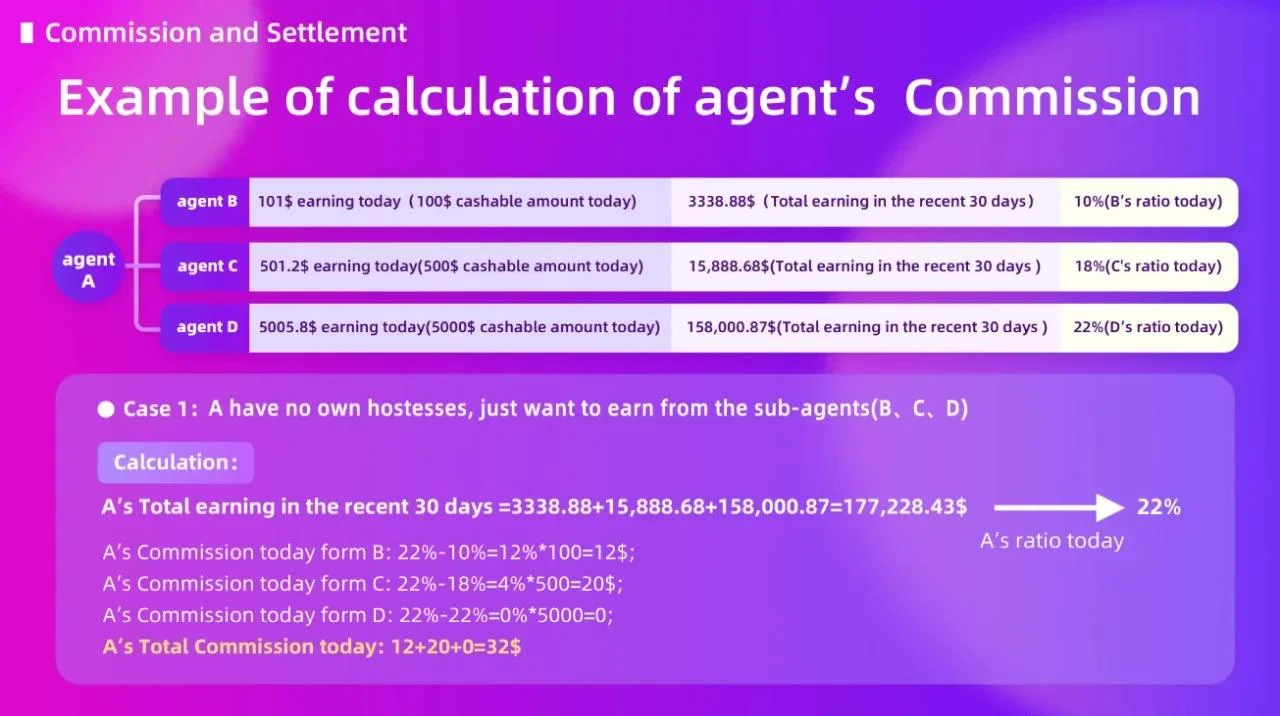
This scenario illustrates how a main agent earns from the performance of sub‑agents under them. Each sub‑agent runs their own team, and the main agent gets a percentage cut based on the overall commission structure, even without directly managing hosts themselves.
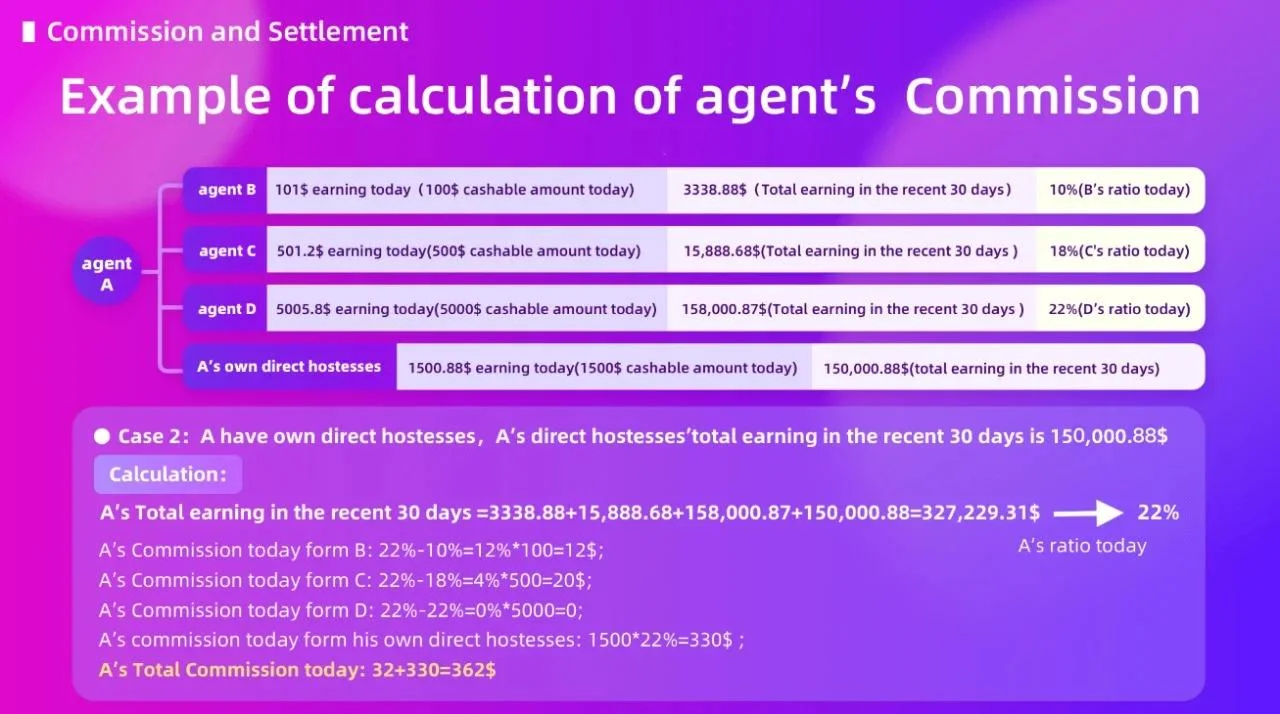
Here, the agent earns directly from hosts they personally recruited, plus earnings from sub‑agents. Both contribute to the agency's total revenue and determine the agent's commission tier.
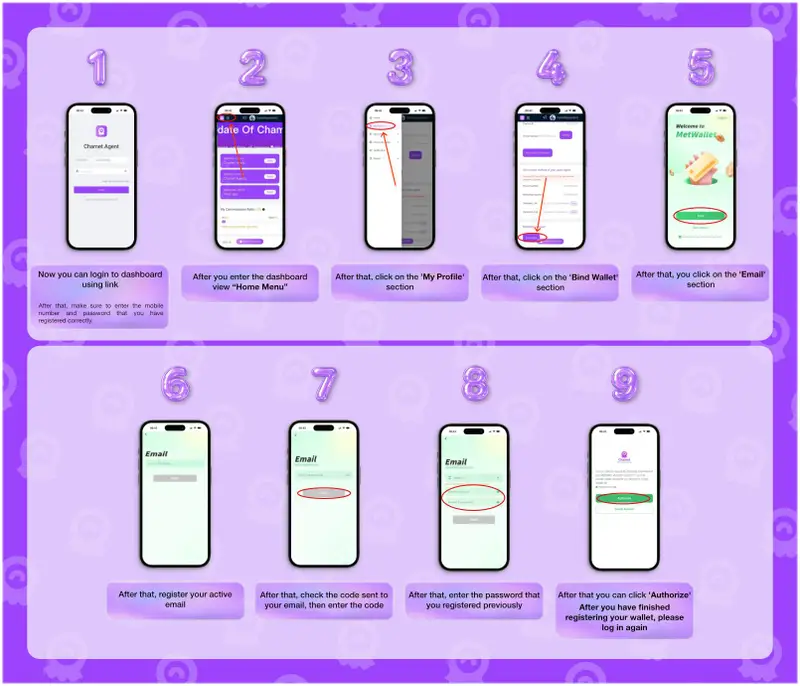
Before withdrawing on Chamet, you must add a MetWallet to your account.
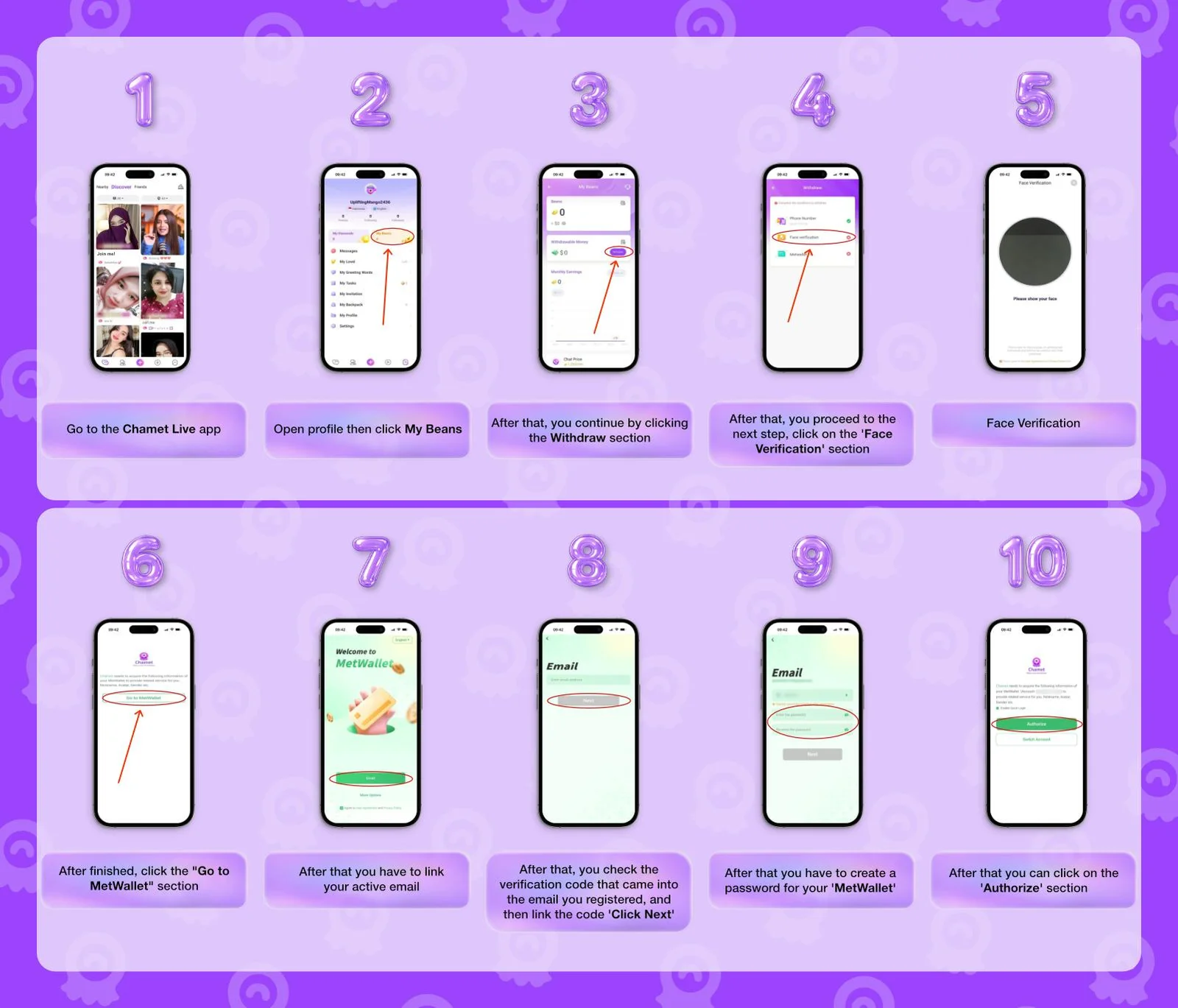
After linking MetWallet and reaching the minimum withdrawal requirement, finish these steps to enable withdrawal on MetWallet.
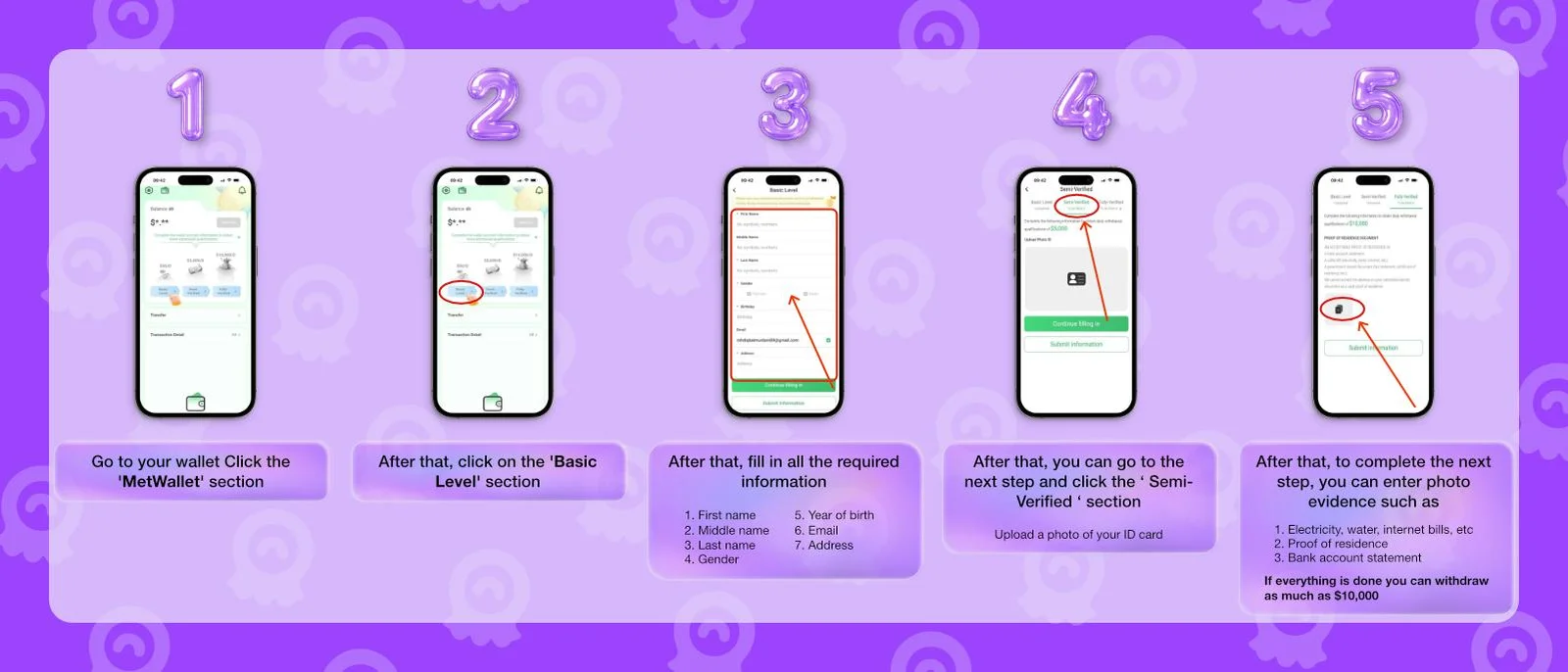
Link your wallet from the dashboard to keep your agency withdrawal flow ready when your account meets the requirements.
Find clear answers about agency commissions, MetWallet requirements, and withdrawal support.
Your commission rate ranges from 5% to 30% of your team's total earnings. The more your team earns, the higher your percentage climbs.
You're responsible for mentoring your hosts and sub‑agents, keeping them updated on platform events, and continuously expanding your network. Your success is directly tied to theirs.
No. Hosts and sub‑agents must first leave their existing agency before they can join yours. Poaching active members is strictly prohibited.
Just a verified phone number to begin recruiting. To withdraw funds, you'll need to attach a verified MetWallet to your profile, but there's no cost to register or start building your team.
Absolutely. Chamet has over 50M Play Store downloads and a global user base. You never pay to withdraw, just meet the requirements and Chamet sends your rightful commission directly to your wallet.
Contact our support team, we'll connect you with platform admins to resolve any issue quickly. Your data, team info, and payment details stay fully private at all times.
Connect MetWallet, complete verification, and follow the right steps to withdraw your eligible Chamet earnings securely.
Start Withdrawal Guide