
Face verification is a mandatory process after registering as a Chamet Live host. As a host this, before you can withdraw your earnings, you must finish this simple face verification process on the Chamet Live application. So, let’s keep it short and start with a few requirements beforehand.
Face Verification Requirements
- Met the minimum withdrawal requirements
The minimum withdrawal amount is 100.000 Beans on Chamet Live. If you haven’t met this requirement, the withdrawal and face verification option won’t be available.
- Match Your Verification and Profile Images
The verification process on Chamet Live has two parts: photo authentication and video authentication. Your verification photo needs to be a current image of yourself that matches with your profile picture.
- Phone with working front-facing camera
Now, this is a requirement for the second step; video verification. You must also ensure your room has proper lighting for the video recording.
Chamet Live Face Verification Step-by-step
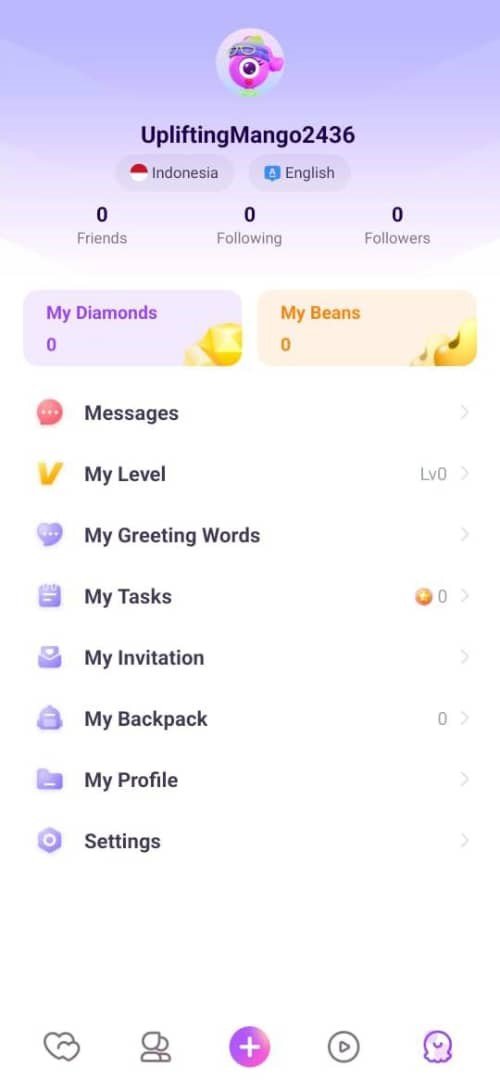
1. Go to your profile
Open your Chamet Live app, then click the bottom right menu to go to your profile
2. Open the ‘My Beans’ menu
In the menu you will see various options, one of them is ‘My Beans’, click it to proceed.
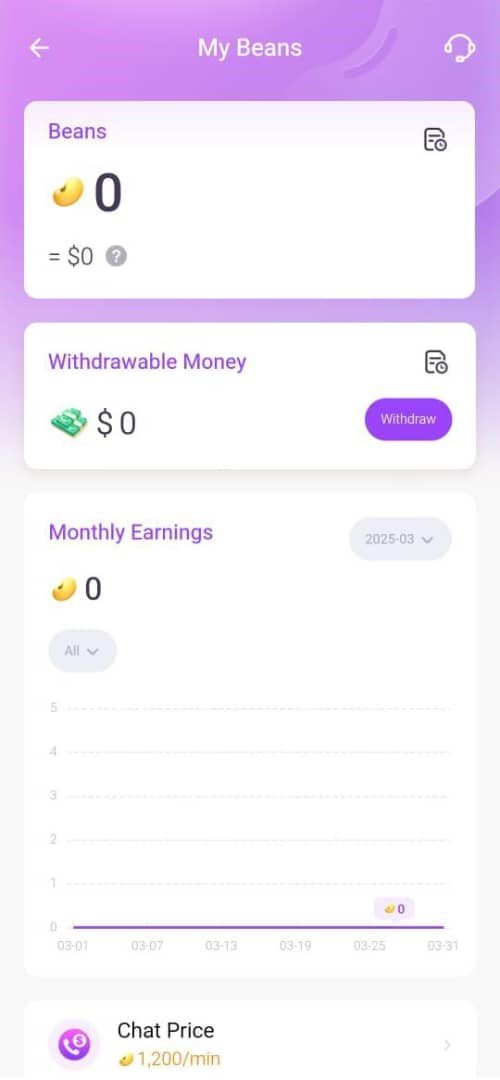
3. Select the ‘Withdraw’ option
Next, select the ‘Withdraw’ option. Remember, this option will only appear if you have met the minimum withdrawal requirements, which is 100.000 Gems.
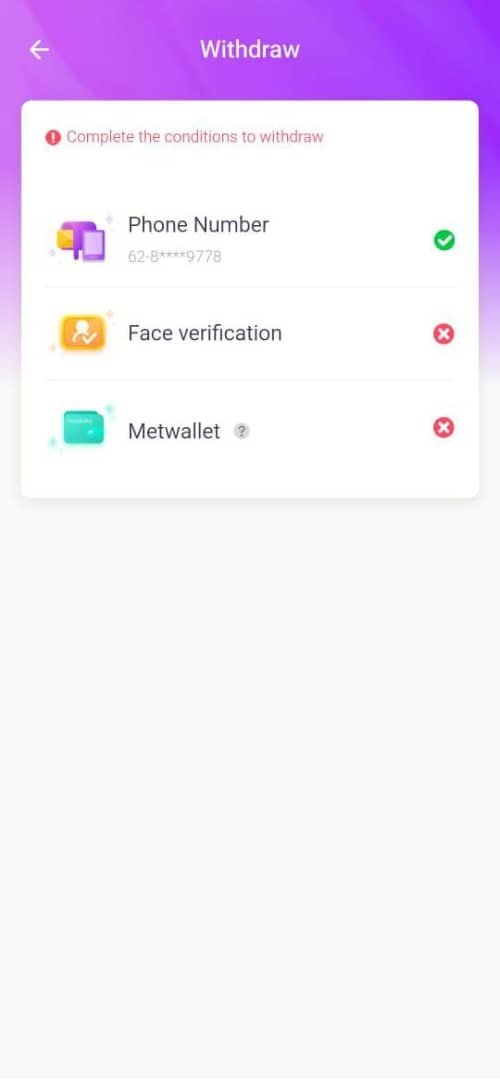
4. Click the ‘Face Verification’ option
There are three requirements before a host will be able to withdraw. One of them is face verification. Click on the face verification to go to the next step.
For a complete tutorial on how to withdraw as a Chamet Live host or agent, you can visit our guide right here.
5. Submit Your Verification Photo
Now, upload an image of yourself. Keep in mind the key requirement: this must show the same person as your profile picture. Additionally, your face should be fully visible—avoid masks, sunglasses, or heavy filters.
6. Follow the on-screen instructions
During this process you will be asked to follow several instructions, such as blinking, nodding, shaking head, and more.
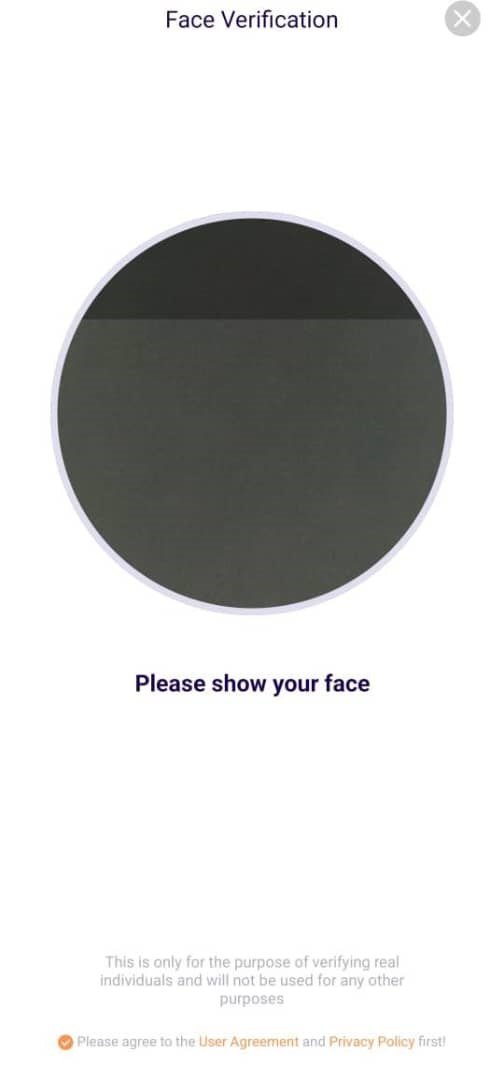
7. Send the face verification request
Once everything is successful, send the request and wait for the approval.
Common Problems and Answer
- Crush Live Won’t Use My Camera
Ensure camera access is granted to the Crush Live app in your settings. Also verify you have the newest app version installed. Should these steps fail, restart your device or test on a different phone.
- Face Verification Review Pending
The system usually processes reviews in under a minute. Cases requiring manual examination may need up to 3 working days. Contact our team should your review take longer than this period.
- Face Verification Request Rejected
The system may reject verification due to differences between your profile picture and the video, or because it spotted multiple people in the frame. Verify your profile photo and try again.
Chamet Live Face Verification FAQs
- What if I don’t do the face verification process?
As a host, you will not be able to withdraw your earnings on Chamet Live.
- What if I failed during the video face verification instructions?
You can try the video face verification instructions again until you succeed.
- Why does the app request face verification multiple times?
This is to protect your account as part of our security system. Make sure to finish the process to ensure your account remains active
- What if my face verification request got rejected?
Multiple verification attempts are permitted each day. After hitting the daily limit, you’ll need to wait a full 24 hours before resubmitting. If you experience repeated rejections, reach out to our support team for assistance.
Chamet Live Face Verification Tips
- Ensure Good Lighting and a Clean Background
Poor lighting and messy backgrounds frequently cause verification failures. Avoid recording in dimly lit spaces or areas with cluttered surroundings.”
- Keep Your Face Fully Visible
Accessories like sunglasses, masks, or anything covering part or all of your face are not allowed. This includes heavy makeup or strong filters.
Face Verification is Necessary for Your Career
In summary, face verification is necessary for hosts and agents looking to monetize on Chamet Live. While you can still use the platform and interact with others without completing it, earning officially requires you to follow the easy steps we’ve outlined.
Need help with the verification process or have other Crush Live questions? Our team is here to assist, contact us here.


