
Chamet Live is one of the top live streaming platforms for female hosts who are interested in making new social relationships, community, or new reliable source of income by just working from home. To get started, let’s see how simple and easy the Chamet Live host registration is right now.
Chamet Live Host Registration Requirements
Before we start, we need to take a look at a few things you need to have for a successful registration process. One of the requirements is from us, while the rest is from you. Here are the requirements:
Chamet Live Host Pre-registration Link
First, bookmark this link. It’s a pre-registration link needed before you can actually download and register on the official Chamet Live.
Active Email or Phone Number
Next, prepare your own Gmail account or phone number. This is a requirement for the pre-registration and actual registration steps. One important tip from us, do not use another person’s email or phone number, it could lead to a potential problem for your account in the future.
Access to App Store and Play Store
The last requirement for Chamet Live host registration is very simple. You just have to make sure that you have access to either App Store or Play Store to download the official Chamet Live app.
Step-by-step Tutorial to Register as Chamet Live Host
1. Open the Chamet Live Host Pre-registration Link
To start, open the link we just mentioned a moment ago. Only for this link, you can open it through your phone or desktop. Inside, you will see two options: Gmail registration or phone number registration, you can choose which option suits you the best.
2. Phone Number Registration
If you’re using the phone number method, the link will looks like this:
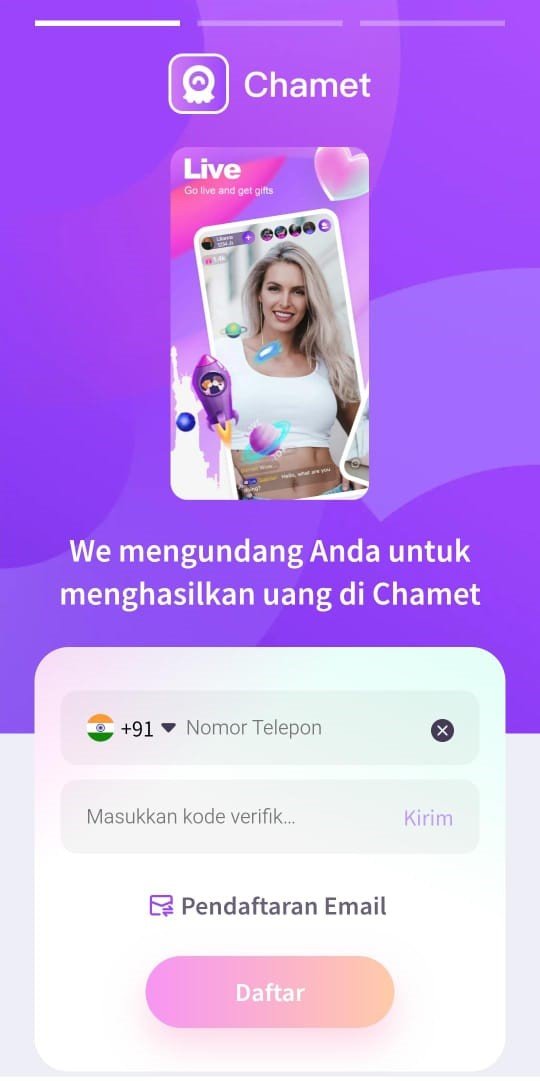
First, select your country, then enter your phone number. After you enter your phone number, click the ‘Send’ button to receive a verification code. Lastly, enter this verification code into the second form and click ‘Register’.
If you’re choosing to register using Gmail account, the link will looks like this:
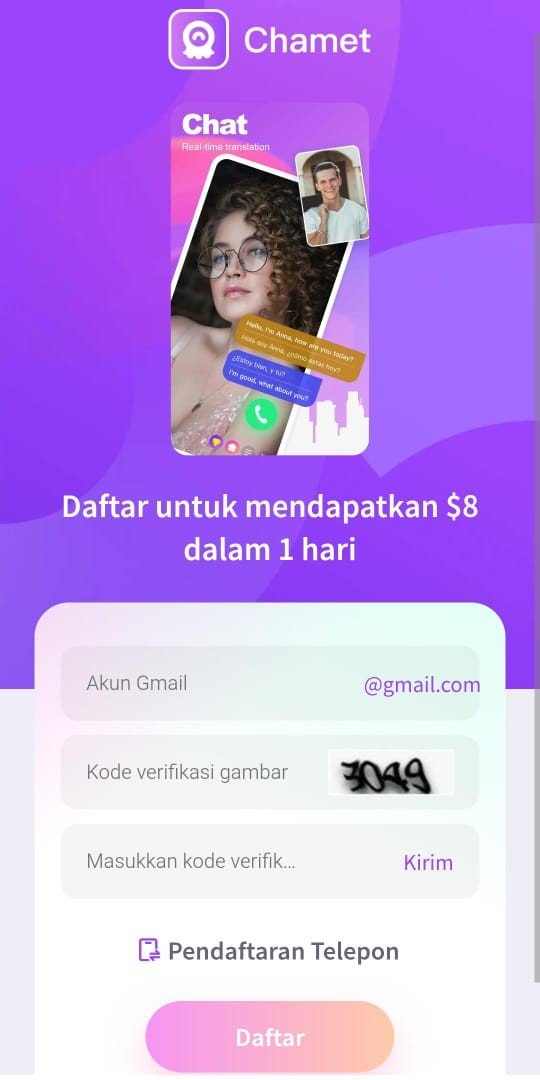
3. Gmail Account Registration
This step is very similar to the previous one. First, enter your Gmail account. But, before you can receive a verification code, you have to enter the correct captcha on the second form. The captcha is always four numbers in length. Then, the last step is to get the verification code by clicking the ‘Send’ button. Enter the verification code then click ‘Register’ to proceed to the next step.
4. Download the Chamet Live App
The second step is download Chamet Live on Play Store or App Store. To do this, you can simply search ‘Chamet Live’, and then install the app.
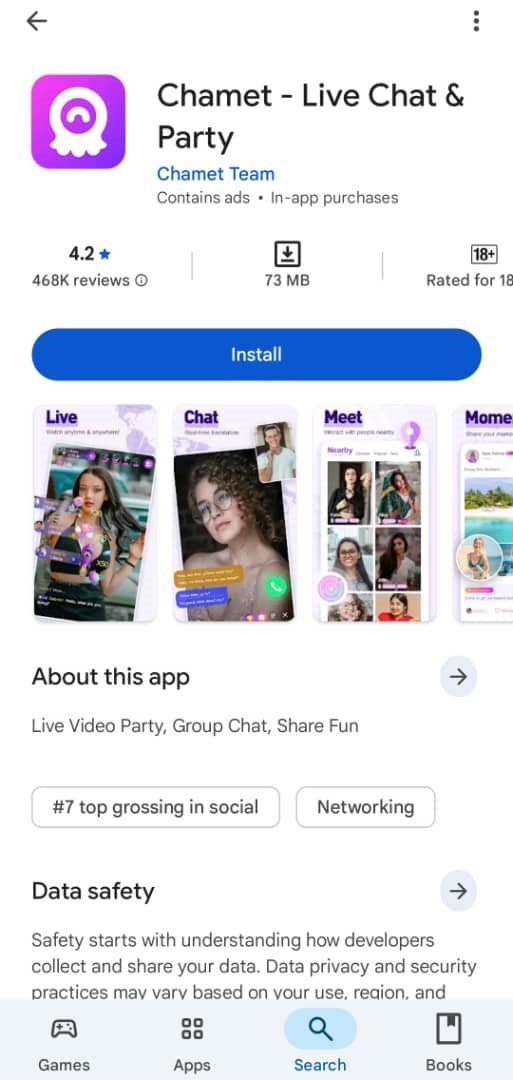
5. Register Your Information
After you installed the app, you now HAVE to register using the same method (email or phone number) you’ve used before on the pre-registration process. This is a very important step, because if you register using a different email or phone number you may not get the various new user benefits.
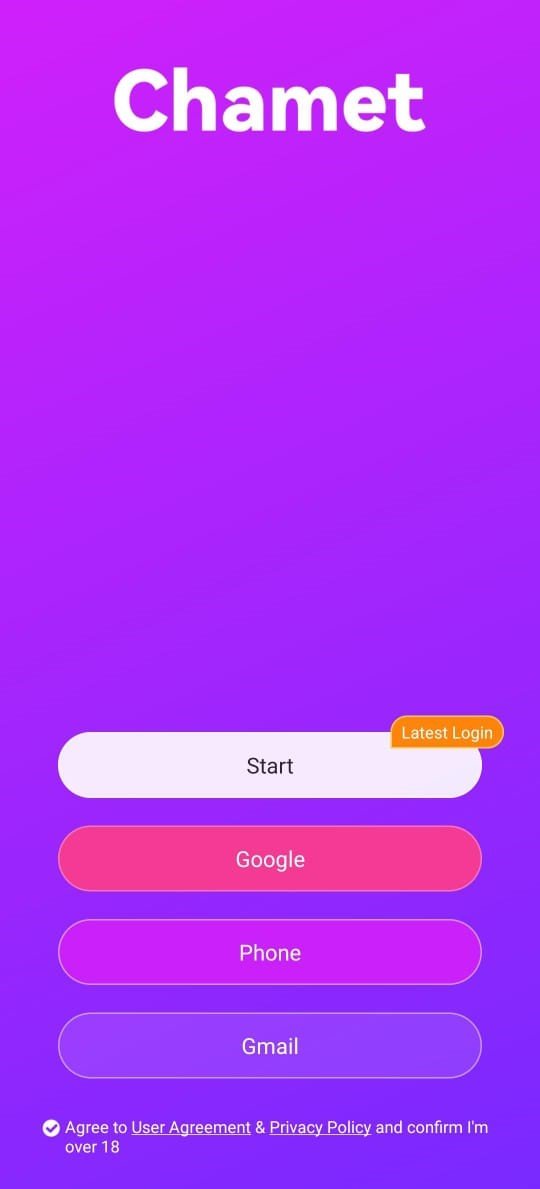
6. Login to the Chamet App
Finally, once you’ve done the registration you can now login to the app, and explore how Chamet Live works!
However, if you want to start live streaming right away, you need to finish the face verification process first. Please visit our official guide on how to do face verification on Chamet Live.
Common Obstacles and the Solutions
- Registered with Wrong Gender
Unfortunately, gender cannot be modified after account creation. If you selected the wrong option, you must register a new account with the correct details.
- Unable to Access Registration Link
Make sure you have the proper link. Our registration link is compatible with both iOS and Android platforms.
- Cannot Upload Photo While Registering
For registration, submit an original photo without filters or edits. After completing sign-up, you’re free to change your profile photo to a filtered or edited one.
Chamet Live Host Registration FAQs
- What if I entered the wrong username during sign-up?
Don’t worry, you can edit your username in your profile after registration.
- What if I registered with the wrong email address?
If you provided an incorrect email during sign-up, the verification code will go to that address. To fix this, create a new account using the correct email.
- Why haven’t I received the verification code?
This usually occurs if you entered an incorrect email or phone number. If your details are correct, look in your spam/junk folder. Should the problem continue, switch to a different network connection and retry after some time.
- Can I have multiple host accounts on the same device?
No. Each device is limited to one account registration.
- Can I or others record the screen while using the application?
No. For privacy protection, the app blocks screen recording functionality.
Tips for Registering as a Chamet Live Host
- Select a High-Quality Profile Photo
Ensure good lighting and enhance your photo with makeup or filters for an appealing profile picture. Don’t upload images where your face is covered, out of focus, or excessively edited.
- Avoid Using Your Actual Name
For your privacy and safety, choose a username instead of your real name. While Crush Live enforces strict rules (including account suspension or bans), we cannot control viewer behavior within the app.
- Avoid Impersonating Others
Impersonation may result in your account being suspended or permanently banned.
Conclusion
The Chamet Live sign-up process is simple and easy. If you’ve completed your registration, congratulations! You can now dive into the app and discover how being a Chamet Live host works on our platform.
Still have questions about getting started, hosting features, or other topics? Our team is here to help, contact us anytime!


